
Plan your day
with AI.
Bring tasks, calendar, reminders, routines, and work into one clear daily plan.

Most productivity apps give you another list to maintain.
Aylow gives the day a shape you can actually follow.
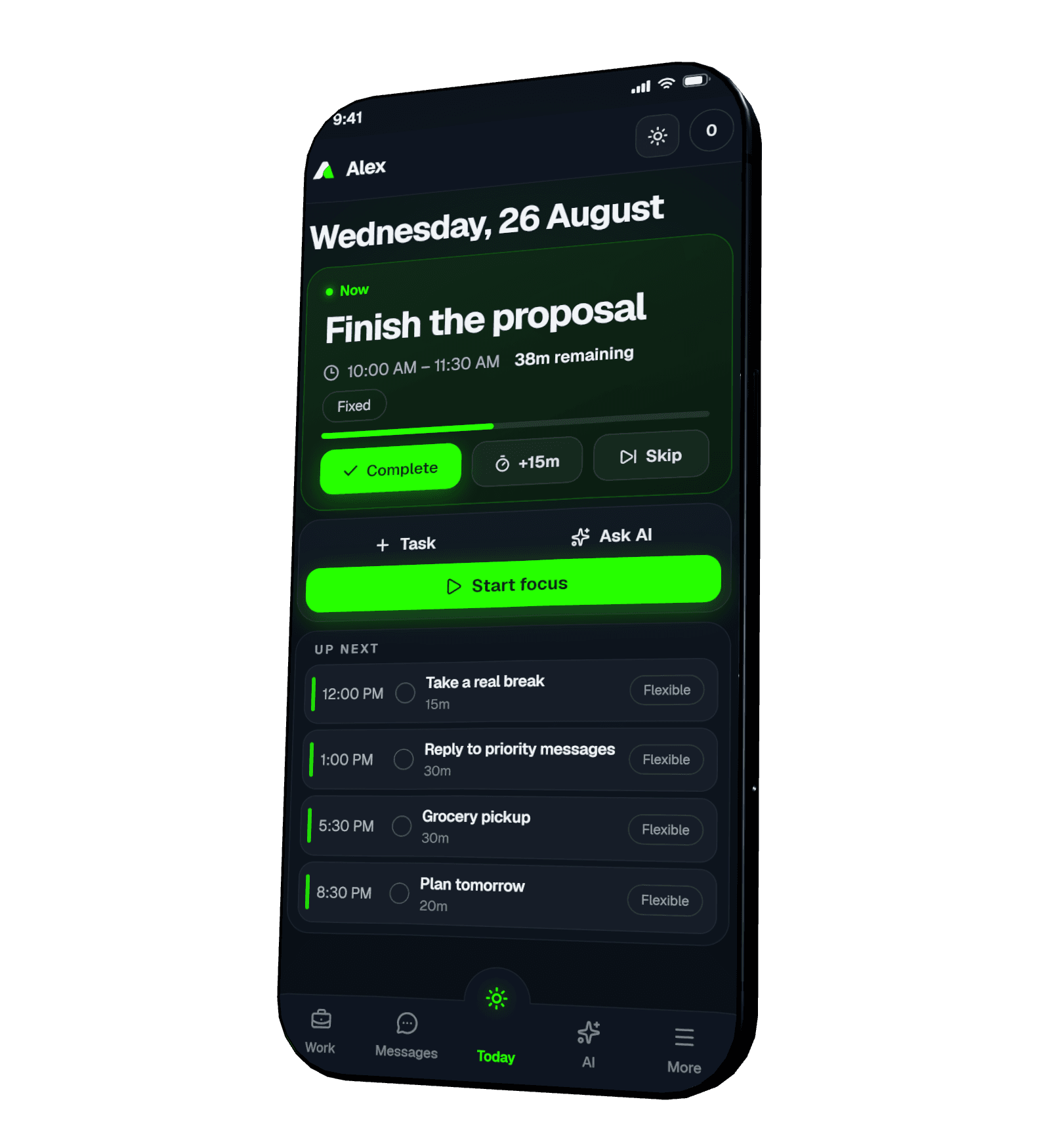
See what matters now. Not everything at once.
Today brings the current block, what comes next, and the rest of the plan into one calm timeline. When life moves, the day can move with it.
- One clear next action
- Tasks arranged around your actual day
- Progress that rewards recovery, not guilt
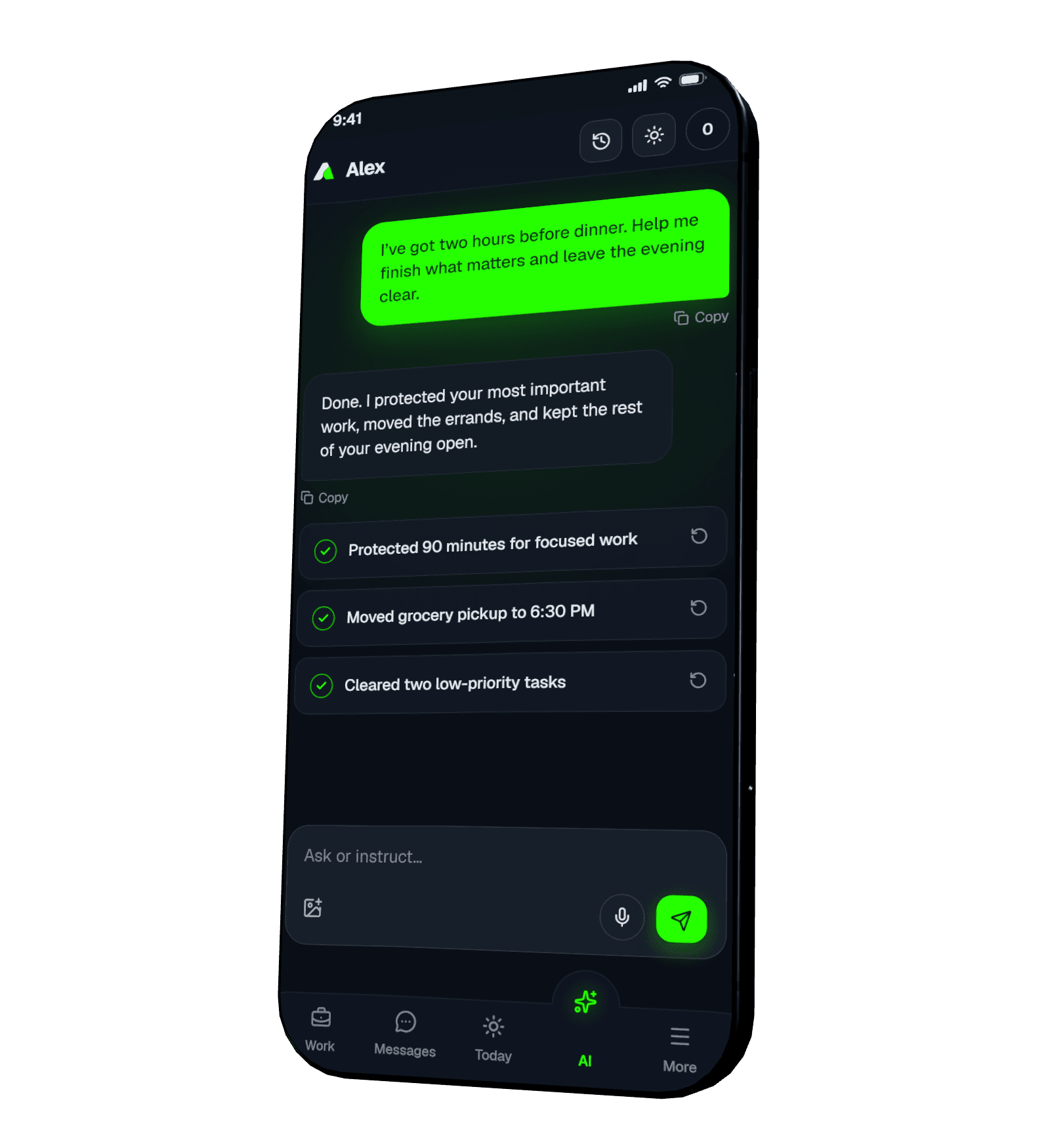
Tell it once. Watch the plan change.
Aylow’s assistant works with your schedule, tasks, notes, reminders, routine, calendar, and personal work. Ask in plain language, then see exactly what changed.
Try one. The assistant runs it live.Ask once. Watch the day settle.
Aylow turns a sentence into a clear update, then shows exactly what changed.
Personal focus when you need it.
A shared room when the work grows.
The small systems are already here.
Open what you need. Leave the rest quiet.
Events, reminders, and Google Calendar in one view.
Capture the thought, dictate it, summarize it, remember it.
One-time or repeating nudges that arrive when they should.
Talk to the people you work with without leaving the system.
Your system should work for you, not study you.
Separate accounts keep personal data separate. You choose what the assistant remembers, what can notify you, and which devices stay signed in.
Read the privacy policyMake the day feel possible.
Start with what is already on your mind. Aylow will help you give it a place.